Advanced

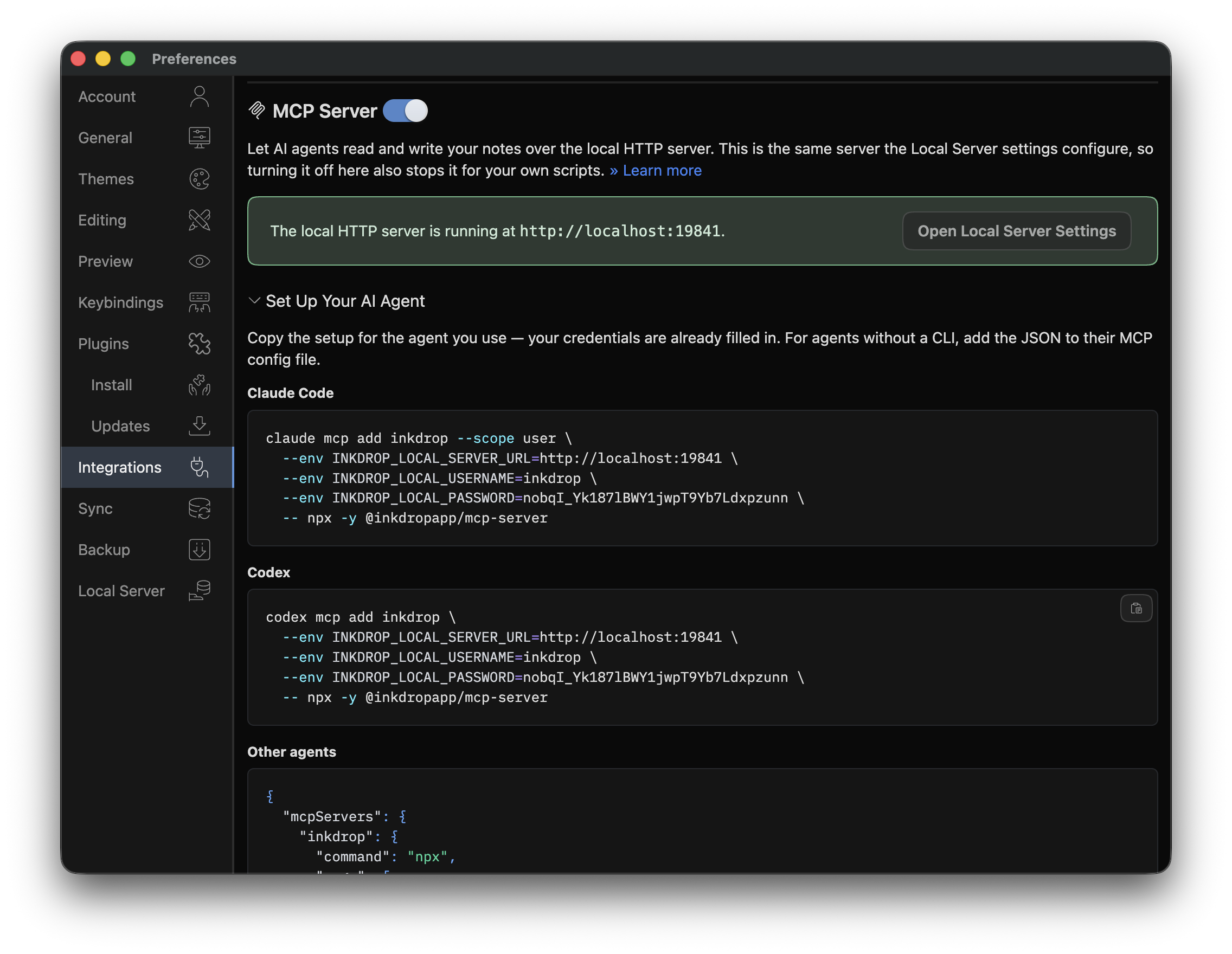
Integrate AI agents with the MCP Server

AI integration is becoming increasingly important for tech note-taking workflows.
While Inkdrop doesn't include built-in AI features yet, it provides an MCP server that allows your AI model of choice to access your notes and notebooks.

MCP Server

MCP Server Demo

A Model Context Protocol server is a server that allows you to interact with AI models using a standardized protocol. Inkdrop provides an MCP server that enables AI integration with your notes.

It allows AI to search your notes, understand their context, and generate new notes based on your existing content.

Installation

  1. Set up a local HTTP server

  2. Add the server configuration:

    • Claude Desktop:
      • MacOS: ~/Library/Application Support/Claude/claude_desktop_config.json
      • Windows: %APPDATA%\Claude\claude_desktop_config.json
    • Claude Code: ~/.claude.json
{
  "mcpServers": {
    "inkdrop": {
      "command": "npx",
      "args": ["-y", "@inkdropapp/mcp-server"],
      "env": {
        "INKDROP_LOCAL_SERVER_URL": "http://localhost:19840",
        "INKDROP_LOCAL_USERNAME": "your-local-server-username",
        "INKDROP_LOCAL_PASSWORD": "your-local-server-password"
      }
    }
  }
}

Components: Tools

  1. read-note: Retrieve the complete contents of the note by its ID from the database.
    • Required inputs:
      • noteId: The ID of the note to retrieve. It can be found as _id in the note docs. It always starts with note:.
  2. search-notes: List all notes that contain a given keyword.
    • Required inputs:
      • keyword: Keyword to search for.
    • Note: Results include truncated note bodies (200 characters). Use read-note to get full content.
    • Supports advanced search qualifiers like book:, tag:, status:, title:, etc.
  3. list-notes: List all notes with specified conditions.
    • Optional inputs:
      • bookId: The notebook ID. It always starts with 'book:'.
      • tagIds: An array of tag IDs to filter. Each starts with 'tag:'.
      • keyword: Keyword to filter notes.
      • sort: Sort field (updatedAt, createdAt, or title). Default: updatedAt.
      • descending: Reverse the order of output. Default: true.
      • limit: Limit the number of results returned. Default: 100.
    • Note: Results include truncated note bodies (200 characters). Use read-note to get full content.
  4. create-note: Create a new note in the database.
    • Required inputs:
      • bookId: The notebook ID. Must start with 'book:' or be 'trash'.
      • title: The note title.
      • body: The content of the note in Markdown.
    • Optional inputs:
      • status: The note status (none, active, onHold, completed, dropped).
      • tags: An array of tag IDs to assign to the note. Each must start with 'tag:'.
  5. update-note: Update an existing note in the database. Only the fields you provide will be updated; omitted fields remain unchanged.
    • Required inputs:
      • _id: The note ID. Must start with 'note:'.
      • _rev: The revision ID (CouchDB MVCC-token).
    • Optional inputs:
      • bookId: The notebook ID. Must start with 'book:' or be 'trash'.
      • title: The note title.
      • body: The content of the note in Markdown.
      • status: The note status (none, active, onHold, completed, dropped).
      • tags: An array of tag IDs to assign to the note. Each must start with 'tag:'.
  6. patch-note: Update the body of an existing note by performing an exact string replacement. More efficient than update-note for small edits to large notes as it saves tokens. You must first read the note with read-note to get the current body.
    • Required inputs:
      • _id: The note ID. Must start with 'note:'.
      • _rev: The revision ID (CouchDB MVCC-token).
      • old_string: The exact text to find in the note body. Must match exactly one occurrence. Include enough surrounding context to ensure a unique match.
      • new_string: The text to replace old_string with. Use an empty string to delete the matched text.
  7. list-notebooks: Retrieve a list of all notebooks.
  8. read-book: Retrieve a single notebook by its ID.
    • Required inputs:
      • bookId: The notebook ID. Must start with 'book:'.
  9. list-tags: Retrieve a list of all tags.
  10. read-tag: Retrieve a single tag by its ID.
    • Required inputs:
      • tagId: The tag ID. Must start with 'tag:'.
  11. create-tag: Create a new tag in the database.
    • Required inputs:
      • name: The name of the tag.
    • Optional inputs:
      • color: The color type of the tag (default, red, orange, yellow, olive, green, teal, blue, violet, purple, pink, brown, grey, black). Default: default.
  12. update-tag: Update an existing tag in the database.
    • Required inputs:
      • _id: The tag ID. Must start with 'tag:'.
      • _rev: The revision ID (CouchDB MVCC-token).
      • name: The name of the tag.
    • Optional inputs:
      • color: The color type of the tag. Default: default.

For the latest information, please check out the repository.

Get help

Got any questions about this page? Feel free to ask them on the user forum here.
Previous
Restore previous revisions of note